



.svg)

Lead nurturing is a critical process in any sales funnel, helping businesses maintain consistent engagement with prospects and gradually guiding them toward conversion. One of the most effective tools for automating lead nurturing is HubSpot Workflows.
By using HubSpot’s workflow automation, businesses can set up personalised, automated sequences that move leads through the buyer's journey with minimal manual effort.
This article will walk you through how to use HubSpot workflows to optimise your lead nurturing process, ensuring your sales team always engages the right lead at the right time.
The Role of HubSpot Workflows in Lead Nurturing
HubSpot workflows allow businesses to create automated sequences that engage leads based on their behavior, lifecycle stage, and interactions with your website. Rather than manually following up with leads, you can set up workflows that automatically send personalised emails, assign leads to sales reps, or trigger follow-up actions based on specific conditions.
Workflows help nurture leads by automating the process of delivering the right content at the right time, whether it’s sending educational materials, product information, or scheduling sales calls. The flexibility of HubSpot’s automation tools means you can design complex workflows that fit your unique sales process.
Step 1: Create a Lead Nurturing Workflow
The first step in automating your lead nurturing with HubSpot is to create a new workflow. In HubSpot’s workflows tool, you can start by choosing a trigger that will set off the workflow. This could be a contact filling out a form, visiting a key page on your website, or reaching a certain lead score. Once the trigger is set, HubSpot will automatically begin the sequence of actions you’ve defined, such as sending a welcome email or assigning the lead to a sales representative.
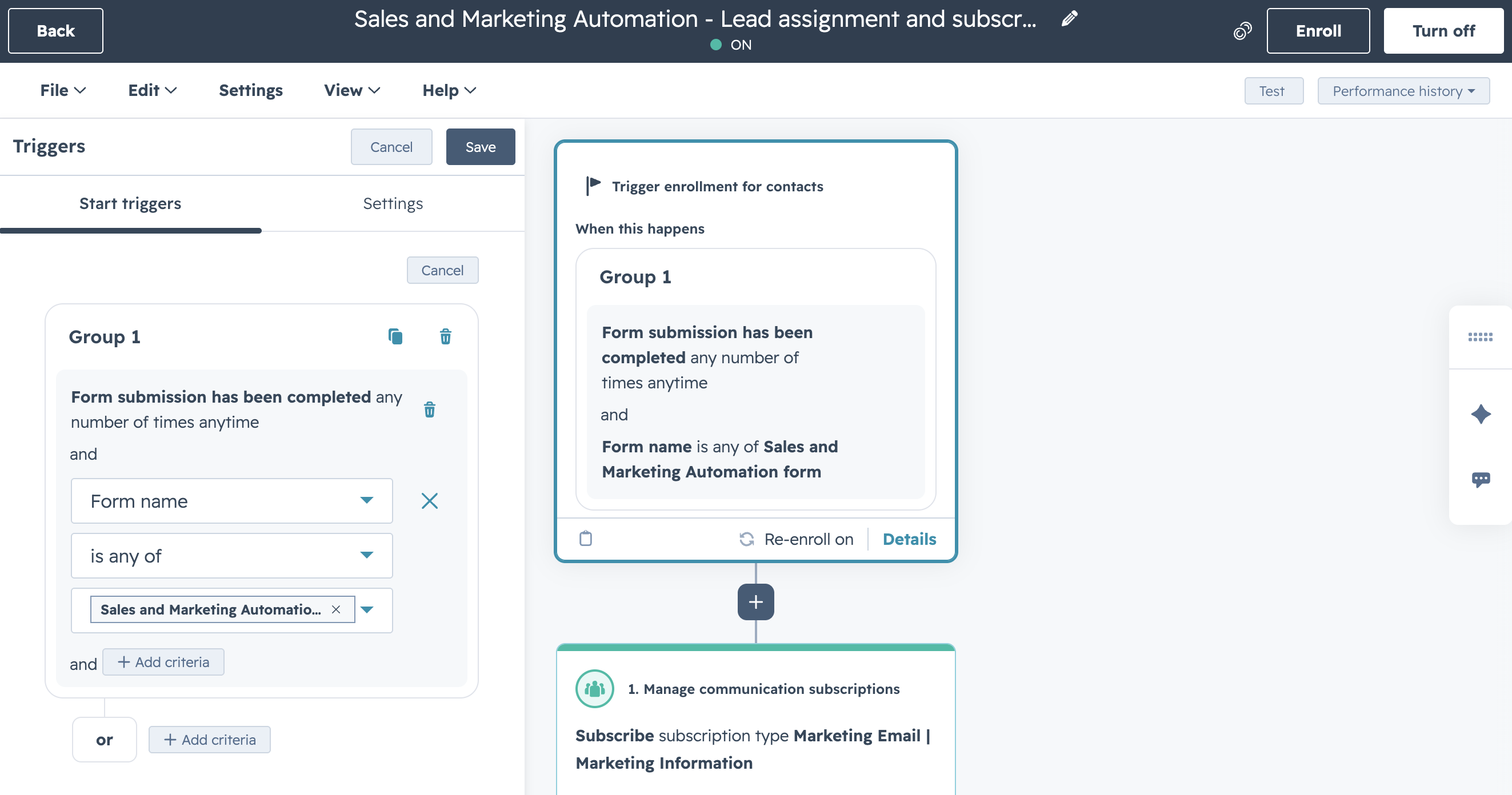
A lead nurturing workflow can be as simple or as complex as you need. For example, you could set up a series of emails to be sent over the course of several weeks, each delivering content designed to move the lead closer to a purchase.
Step 2: Personalise Content Based on Lead Behaviour
HubSpot workflows allow you to deliver personalised content based on each lead’s behaviour and interactions. For instance, if a lead has visited a pricing page but hasn’t yet converted, you can send them a personalised email with a discount offer or a product demo. By tailoring your messages to the specific needs and actions of each lead, you can increase the chances of moving them further down the funnel.
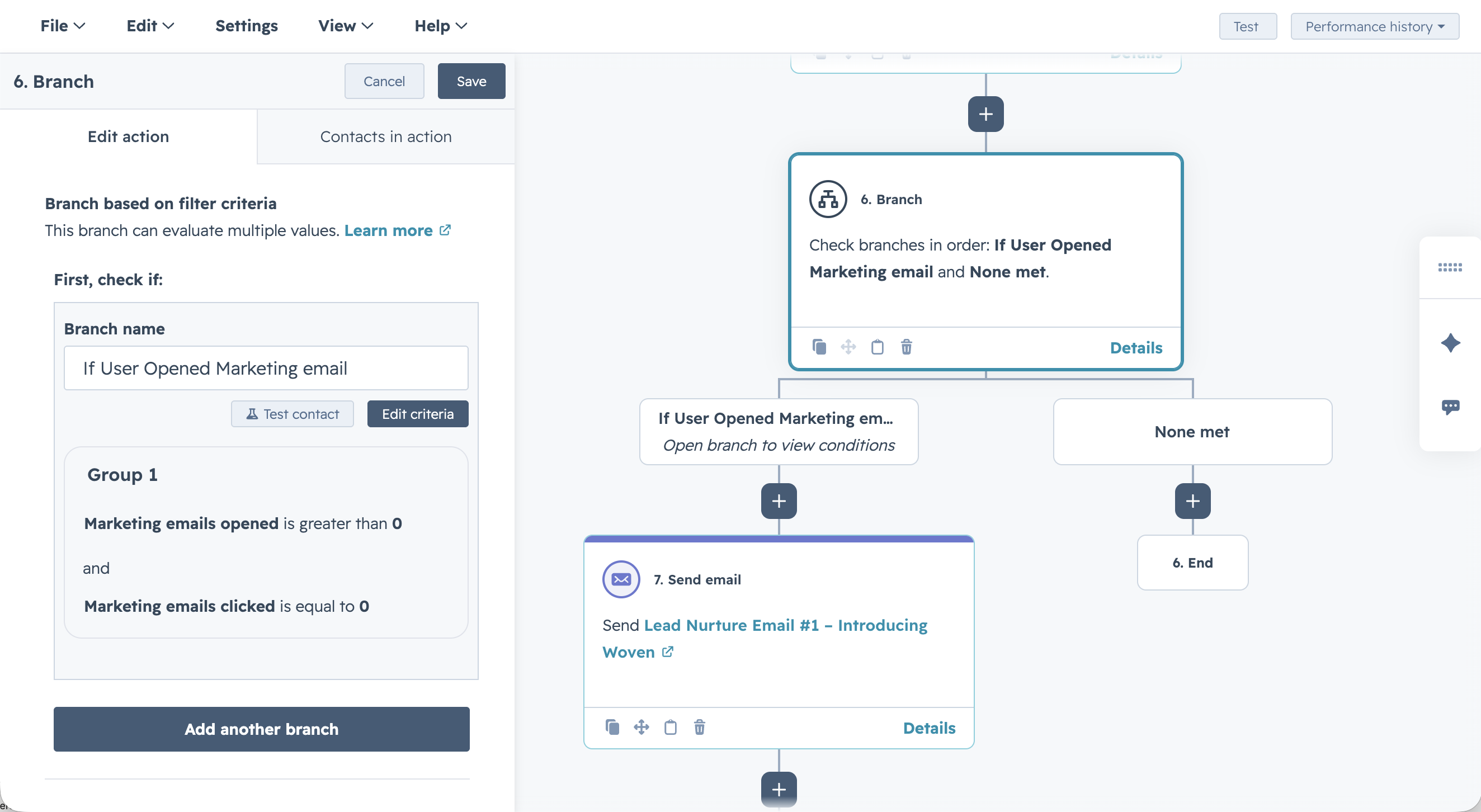
Additionally, you can create branching workflows that adjust based on the lead’s response. If a lead opens an email but doesn’t click on the CTA, HubSpot can automatically send a follow-up email to nurture them further.
Step 3: Automate Lead Scoring and Assignment
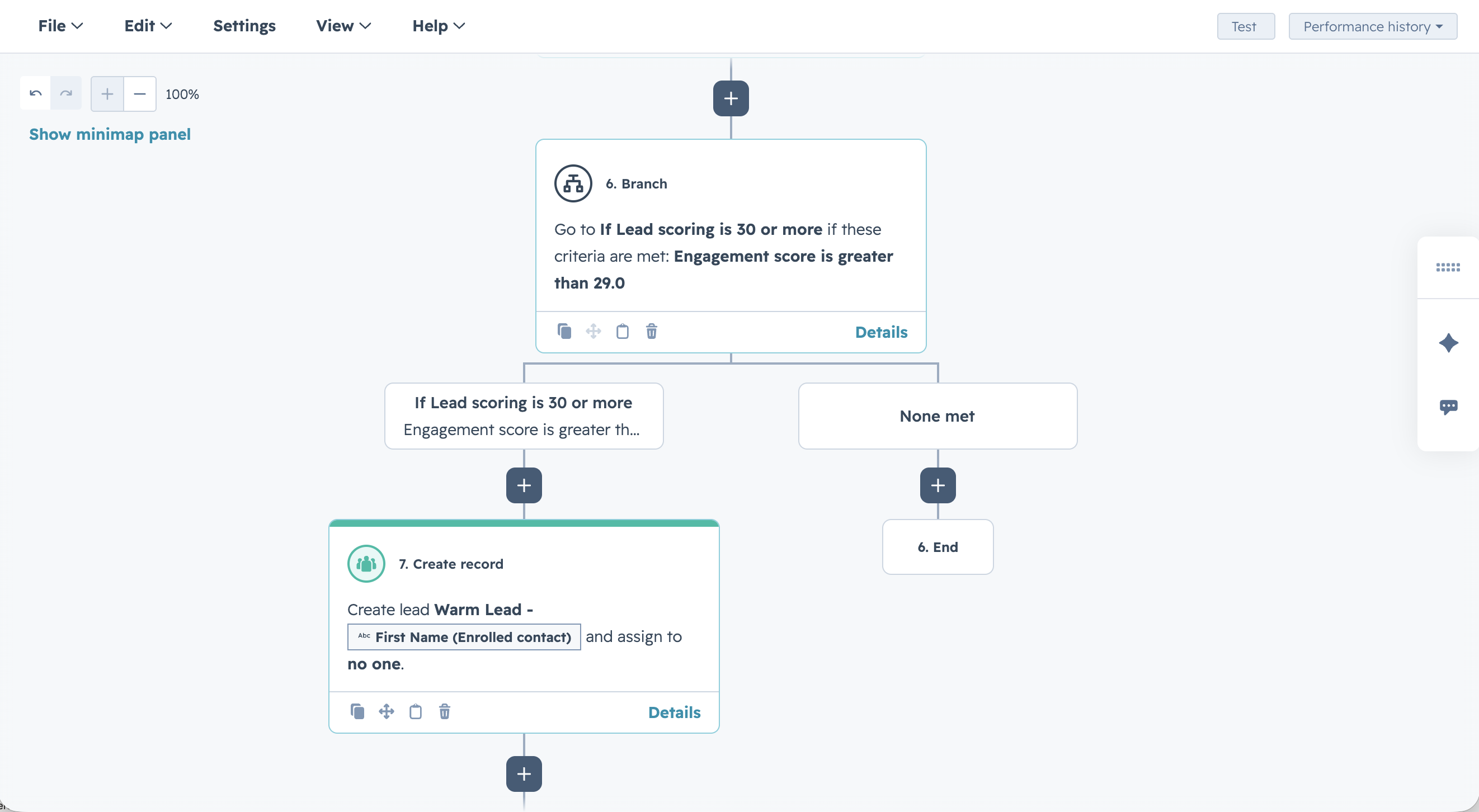
HubSpot workflows can also be used to automate lead scoring, ensuring that leads are assigned points based on their engagement levels. For instance, you can set up workflows that automatically increase a lead’s score when they complete high-value actions like downloading a white-paper or attending a webinar. As the lead score increases, HubSpot can trigger different actions, such as notifying your sales team when a lead is ready for direct outreach.
Similarly, workflows can automatically assign leads to sales reps based on their score or behaviour, ensuring that high-priority leads receive immediate attention.
Step 4: Analyse and Optimise Your Workflows
Once your workflows are live, HubSpot provides tools to track their performance and identify areas for optimisation. You can review metrics such as open rates, click-through rates, and conversion rates to see how effectively your workflow is nurturing leads. This allows you to make data-driven adjustments, such as tweaking email copy, changing timing intervals, or adding additional steps in the workflow.
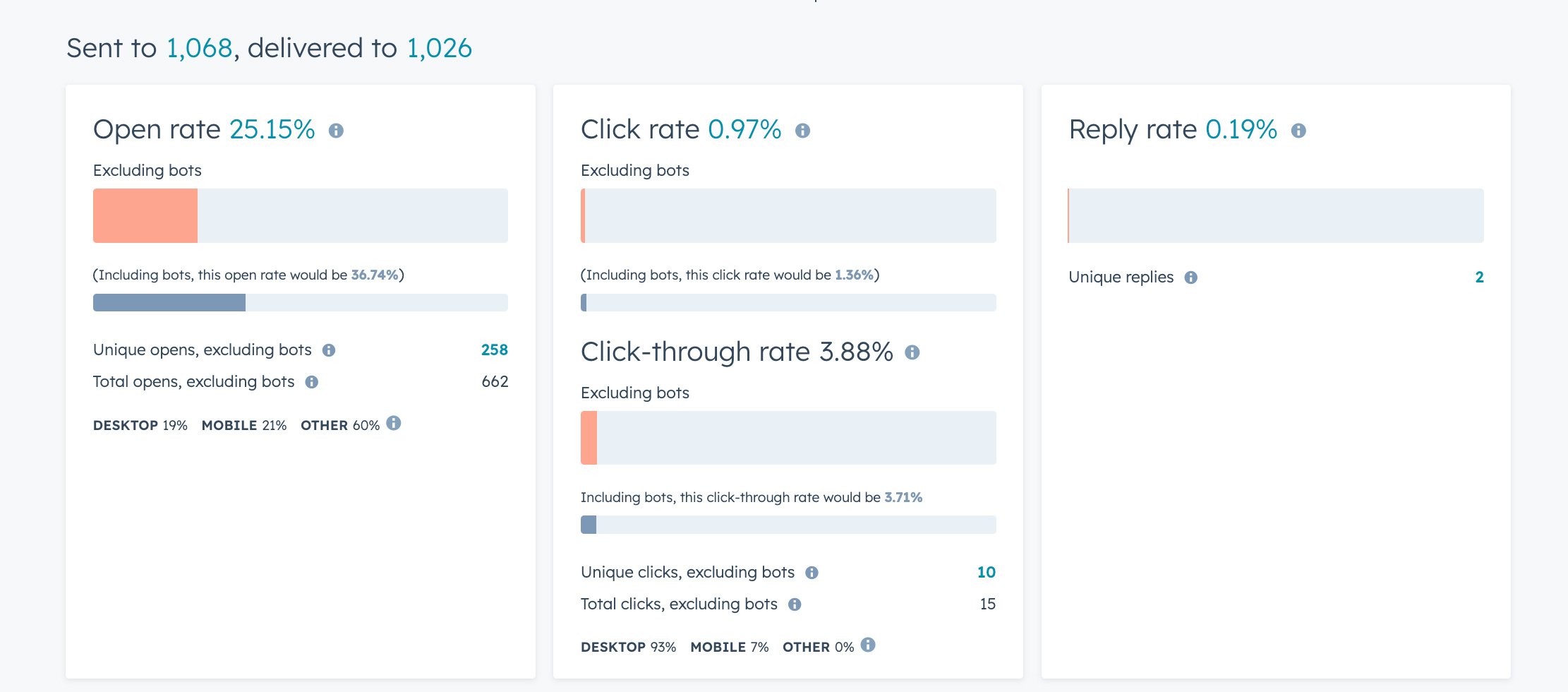
By continually optimising your workflows, you can ensure that your lead nurturing efforts are as effective as possible, helping to convert more leads into customers.
Conclusion: Streamline Your Lead Nurturing with HubSpot Workflows
Automating your lead nurturing process with HubSpot workflows allows your business to engage leads more efficiently and at scale. By setting up personalised workflows that deliver relevant content and trigger the right actions at the right time, you can build stronger relationships with prospects and move them through the buyer’s journey more effectively.
Ready to optimize your lead nurturing with HubSpot workflows? Contact Woven today to learn how we can help you set up and optimise your workflows to drive better engagement and faster conversions.

Start Your Growth Plan Today!
Speak with usMore Insights
Learn More
HubSpot CRM Customisation to Fit Your Industry’s Needs

How to Use HubSpot Workflows to Automate Lead Nurturing

Core
Service
Learn More
Intergrations
.svg)
CRM & Marketing Automation
Process Automation Platforms
Business Management Apps
E-commerce Platforms
Messaging Platforms
Cloud-based Accounting
Content Management
For-China Optimisation
Bespoke Systems


.svg)